
- Field24 Plan search2.5 s
- ChatGPT12 s
- Claude31 s
AI can search hundreds of pages of construction drawings in seconds. The problem is knowing whether you can trust the answer.
This update adds two new tools to Field24: Plan Search Mode, which lets you ask questions across your plans and takeoff, and Review Items, which shows you the assumptions and judgment calls Field24 made while estimating.
Together, they make it faster to find information in large plan sets and easier to check the AI's work before you send a bid.
01 - The problem: an answer you can't check
This is where an AI built for construction needs to be different from ChatGPT or Claude. A good ChatGPT for construction can't just give you an answer. It needs to look across the drawings, show you where the answer came from, and tell you what you should double-check before it affects your bid.
AI also has to make judgment calls when doing a takeoff. A drawing might not clearly specify a slab thickness. A schedule might be missing. Two sheets might contain conflicting information.
Previously, many of these decisions happened in the background.
02 - Feature 1: Plan Search Mode
Finding one piece of information in a large set of drawings can mean jumping between architectural plans, schedules, details, and specifications.
With Plan Search Mode, you can ask Field24 directly, like you'd ask a coworker.
For example:
- "What covers the rear lot paving?"
- "Which rows are on Level 2?"
- "Is the storefront glazing in here?"
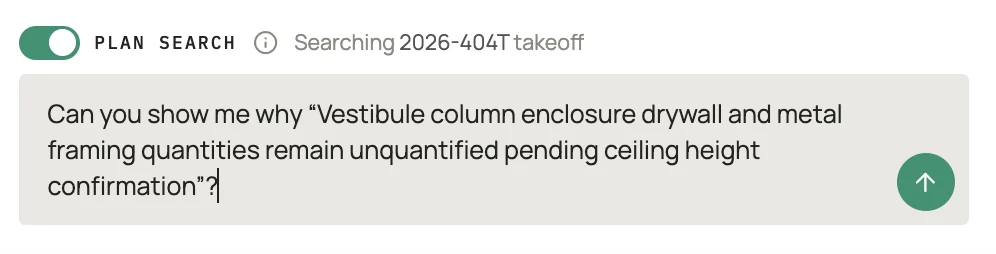
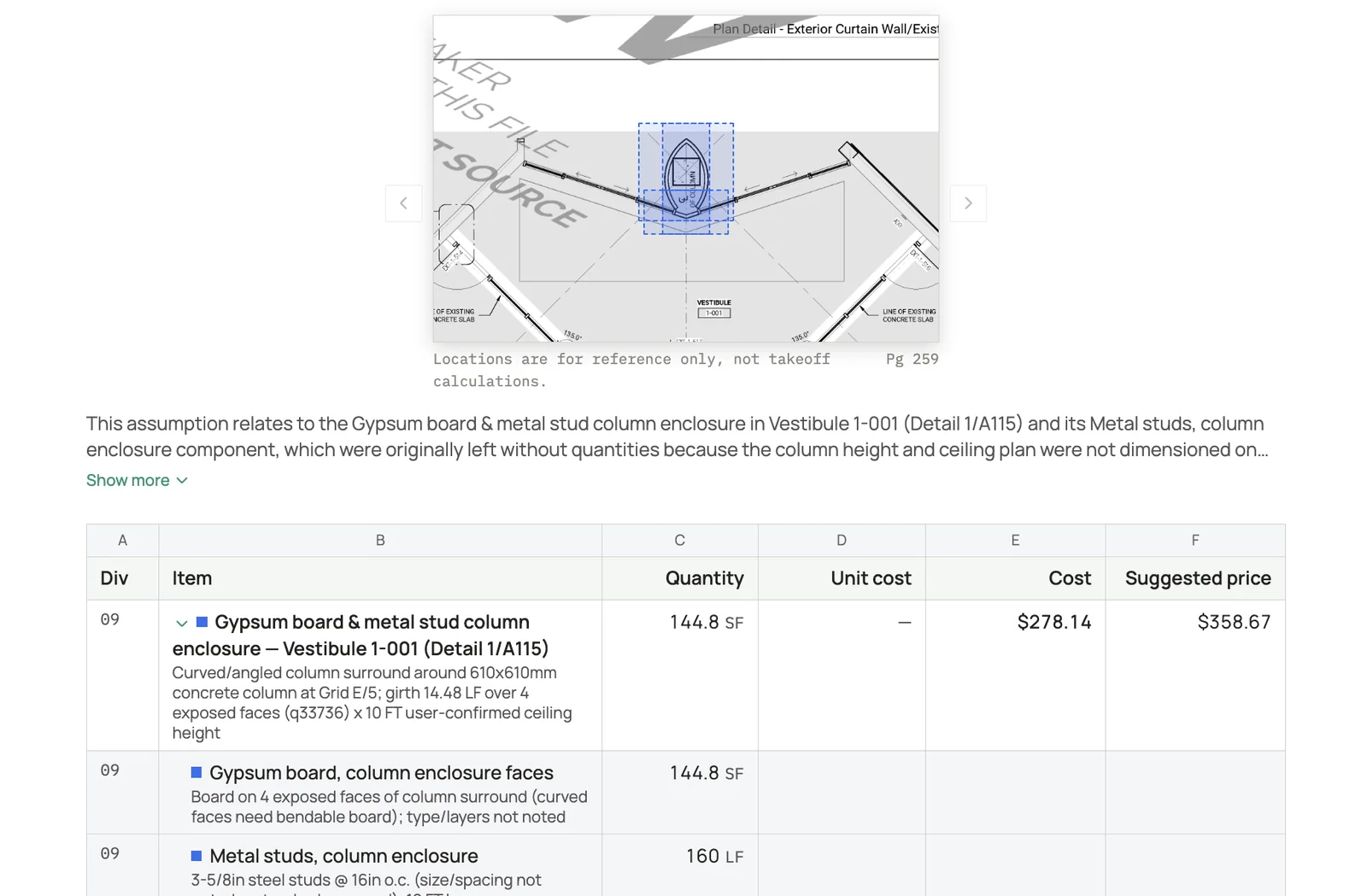
Flip on the Plan search switch above the message box to turn on Plan Search Mode. It tells you which takeoff it is searching. Field24 searches across the plans and your takeoff, gives you a preview with a markup on the drawings, a plain-English answer, and highlights the matching takeoff rows.
You can now see the general area of what in the drawings supports the takeoff produced.
Because Plan Search Mode looks the answer up in your takeoff instead of re-reading the whole plan set, it answers in a couple of seconds.
- Field24 Plan search2.5 s
- ChatGPT12 s
- Claude31 s
Average time to a complete answer about a plan set that is already uploaded. General assistants re-read the drawings on every question; Plan search looks the takeoff rows up.
03 - Feature 2: Review Items
Review Items makes the AI's judgment calls visible.
After Field24 completes a takeoff, you get a short list of the important assumptions and decisions it made.
For example:
- "Assumed the slab is 6-inch, not 4-inch."
- "Measured the parking lot from the site plan because there was no schedule."
Each review item also shows which rows in your takeoff are affected.
Review items
Tenant improvement at 7300 S 13th St, Oak Creek: demolition and new finishes for the waiting room, reception and two new offices from sheets D1.1, A1.2 and A1.3. Review the key assumptions below to confirm or adjust before proposal generation.
- 1.
Carpet tile removal of 612 SF is the full floor area of the waiting room, reception and work room, traced from the demolition plan outline; the set has no tile layout. Does this look right?
AcceptAsk - 2.
Demo stud partitions are carried full height at 86 LF (keynote 1); no ceiling height is stated, so 9'-0" is assumed for the gypsum board quantities.
AcceptAsk - Medium impact3.
Reception desk and casework removal is counted as four pieces from the keynote 5 tags; the millwork shop drawings were not in the set.
AcceptAsk - 4.
Recessed can lights and 2x4 troffers on the reflected ceiling plan are counted as 22 fixtures to salvage and relocate (keynotes C2 and C4). Does this look right?
AcceptAskAsked - Low impact5.
Door and frame removal at the waiting room entry is one opening (keynote 6).
AcceptAsk
Review what could actually change your price
Not every assumption matters equally.
Field24 ranks Review Items as high, medium, or low impact based on how much of the job's price could depend on that decision.
The highest-impact items are shown first and automatically opened when you start your review.
Lower-impact items are still available, but you don't have to work through every decision the AI made just to find the ones that matter.
The goal is to let you review an AI-generated takeoff in a few minutes instead of checking every line from scratch.
Measurements are always called out
Measurements are one of the easiest places for an error to affect your quantities.
Whenever Field24 calculates a length or area by tracing the drawings, it creates a Review Item for it.
That means measurements like wall lengths, floor areas, or paving areas don't disappear into the final quantity without telling you how Field24 got there.
Counts are treated differently because they don't rely on the same drawing-tracing process.
Accept it, reject it, or investigate
For every Review Item, you have three options.
Accept it if Field24 made the right call. You can also accept multiple items at once.
Reject it if you know the assumption is wrong.
Or ask about it.
Asking about a Review Item takes you directly into Plan Search Mode, where Field24 shows you the takeoff rows and plan pages behind the decision.
You can check the drawings yourself and decide what should make it into the final estimate.
04 - What's next
Our goal isn't to make AI that asks you to blindly trust its takeoff.
It's to make an AI estimator that can show its work.
We'll keep improving how Field24 searches large drawing sets and shows you its work.